Add the widget
Add the widget to any webpage with a single HTML tag in your header. Replaceagent_id with your agent managed through the LemonSlice Agent Dashboard.
Interacting with the widget
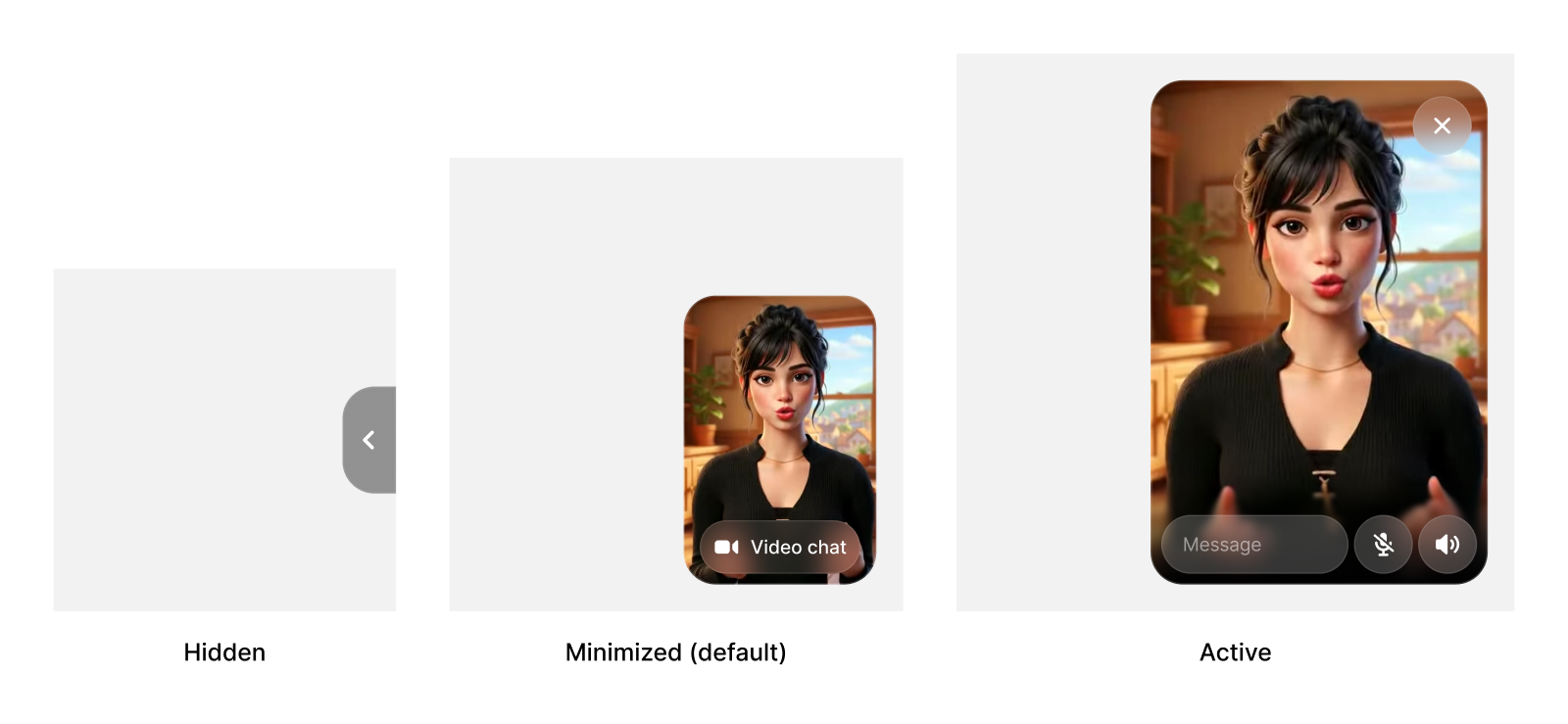
We designed the LemonSlice agent widget to fluidly switch between being an unintrusive yet captivating state, an immersive calling experience, and a fully hidden state. By default, users see the widget at the minimized state, with your welcome video playing on loop. If the user clicks to start a chat, they’ll enter the active state, allowing them to chat with the agent. If the user hovers over the widget in the minimized state and clicks the minimize icon , this collapses the widget into the hidden state. The widget is pinned to the corner of your website by default, to allow for a persistent experience across pages.