
Prerequisites
- A LemonSlice avatar created on a paid plan
- Some familiarity with Shopify’s code editor
Guide
1
Get an embed code
Visit the LemonSlice avatar platform to find your avatar’s embed widget. It should look something like this:Copy this embed code.
JAVASCRIPT
2
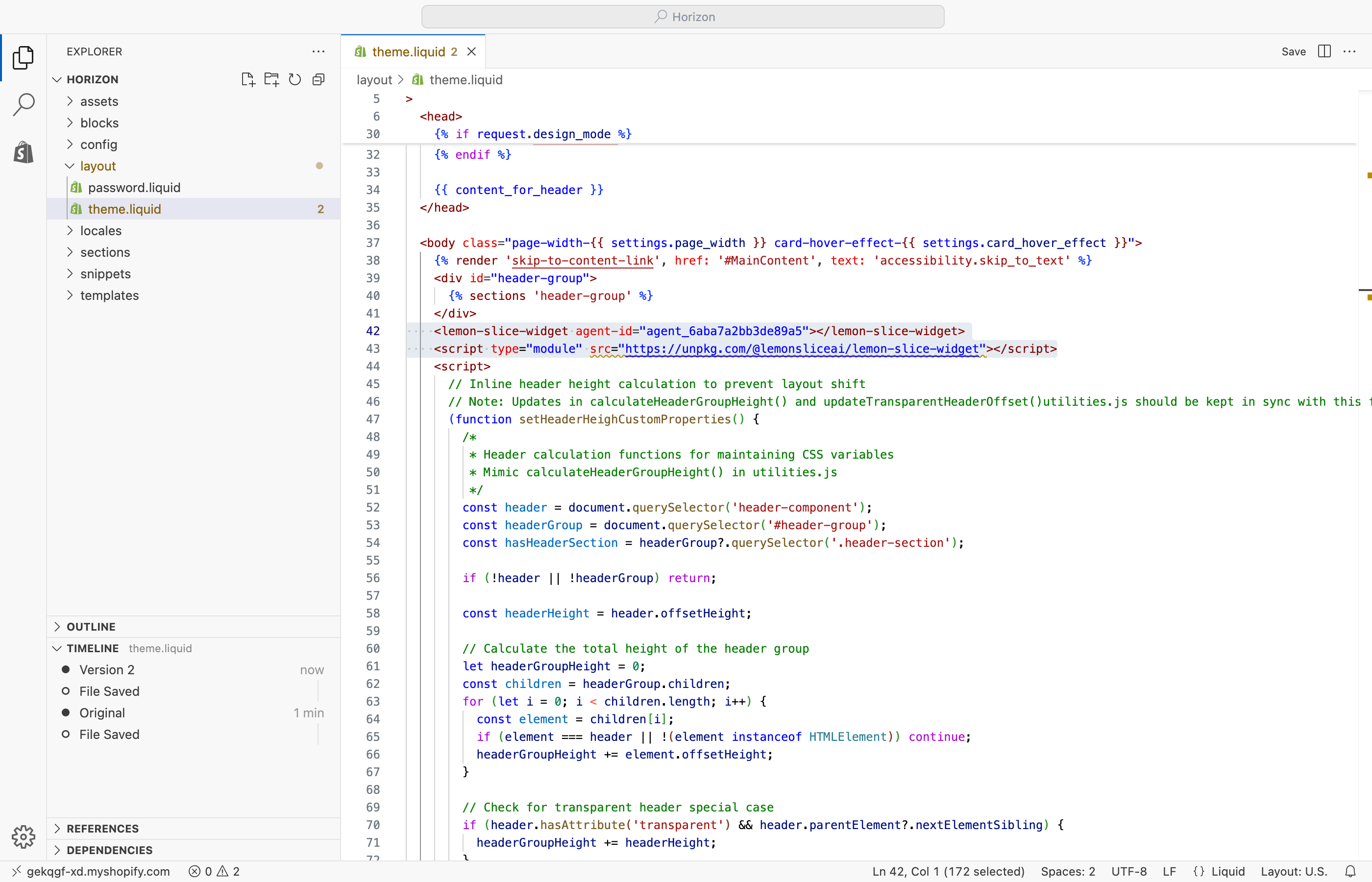
Open your Shopify code editor
.png?fit=max&auto=format&n=ijSarkZGcrUvO2ND&q=85&s=b0f50b3a74b508adfb4e2c715e928325)
3
Place your embed code in your layout file
-
In the side menu, navigate to the
theme.liquidfile inside yourlayoutfolder. -
Inside the <body> tag, paste your embed code from step 1 before the first
<script>tag. -
Then, save your file with + S on Mac, or Ctrl + S on Windows.