
Play with our LiveKit demo on our home page.
The core agent
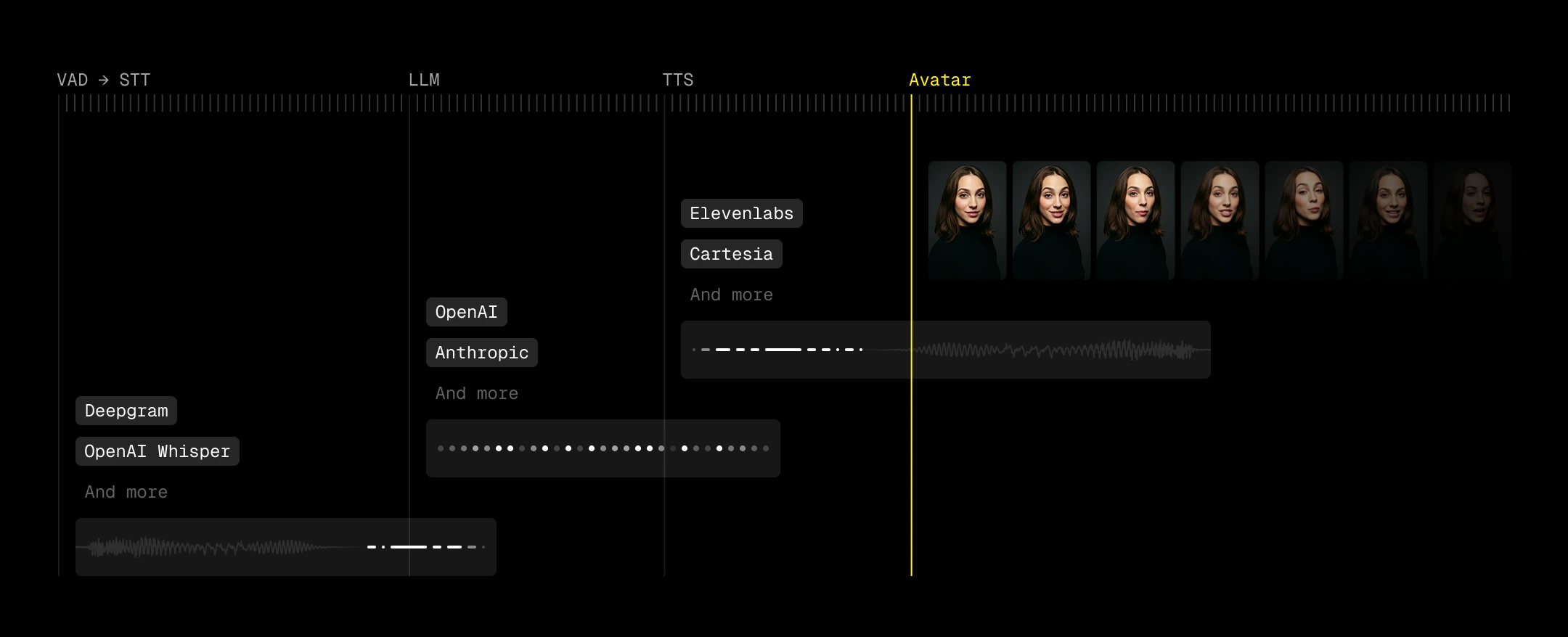
LiveKit is the transport layer that connects video and audio streams. Think about it as a configurable Zoom room. On top of this layer, LiveKit Agents allows us to connect the ears (speech to text/STT), the brain (large language model/LLM), and the voice (text to speech/TTS). Additionally, agents allow for an optional voice detection (VAD) step to trigger this pipeline. This makes up the STT-LLM-TTS pipeline commonly used for building voice agents. In the final step, we add a face via the LemonSlice LiveKit Plugin. Here’s our recommended stack of VAD-STT-LLM-TTS providers.Budget your latency
Use a “ringing” UX metaphor as a loading state
Metaphors help users understand how things work. Humans can call someone, who picks up, has a conversation, and ends the call when finished. Because LemonSlice videos take around 5 seconds to initialize, this matches up nicely with our video agent. In our demo, we’ve built a beautiful shader that pulses with colors to demonstrate this calling state. We also composed a familiar and simple marimba ringtone in GarageBand. When the system determines that the video has finished loading, it smoothly shows the full view of the video call. You can determine when the video has finished loading when you receive an RPC call in the topic"lemonslice" with a "bot_ready" message.\
Use VAD to decrease perceived latency
Perceived latency matters more than absolute latency. Voice Activity Detection (VAD) lets you start reacting before a user has fully finished speaking, which effectively pulls your entire pipeline forward. Good turn detection means you can kick off generation as soon as intent is clear.Optional: Show a transcription
Displaying transcription can improve usability, especially for catching STT errors and making the agent’s timing feel more predictable. Users can see when their speech has been “accepted,” which reduces ambiguity around when the agent will respond. However, transcription introduces its own UX risks. Many pipelines expose both fast, low-accuracy interim results and slower, higher-accuracy final transcripts (e.g.,interim_results=false to suppress partials for deepgram). When both are surfaced, users can see text rapidly change or correct itself, which feels unstable and undermines trust. We recommend disabling this if you choose to introduce transcriptions.
Next: Start with an example project
Github link